
—Activation guide
From the free version to the full version.
There is nothing new to download. The screwit3D you already installed is the free version — the licence key from your purchase e-mail unlocks the full version in the same installation. It takes a minute.
Buy a licence and find the key
After payment, Lemon Squeezy e-mails you a receipt with your licence key — a long code like 1A2B3C4D-5E6F-…. Copy the whole key.
Open ⚙ Settings in the screwit3D panel
In the free version the panel header has a red Full version button — it opens Settings right at the activation code. The ⚙ gear next to it opens the same window.

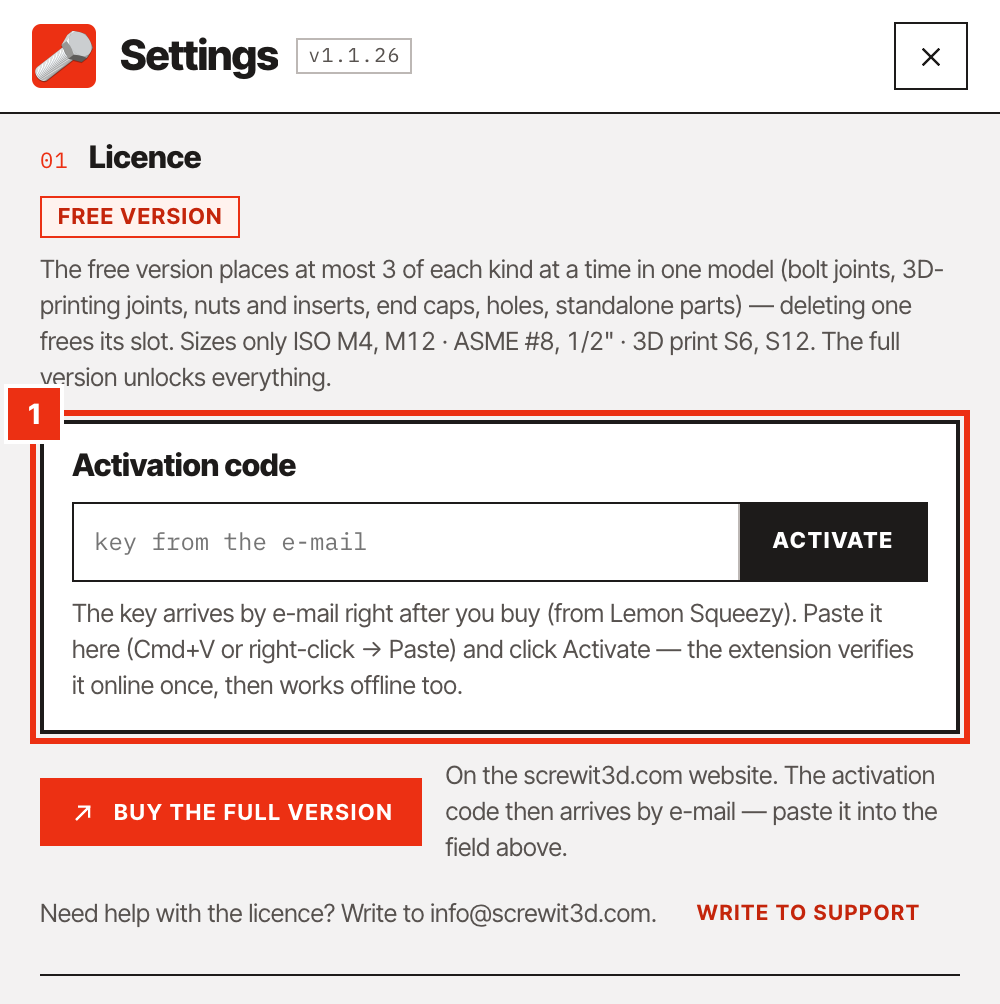
Paste the key into Activation code
At the top of the Settings window, click into the Activation code field and paste the key: Cmd+V on Mac, Ctrl+V on Windows, or right-click → Paste.
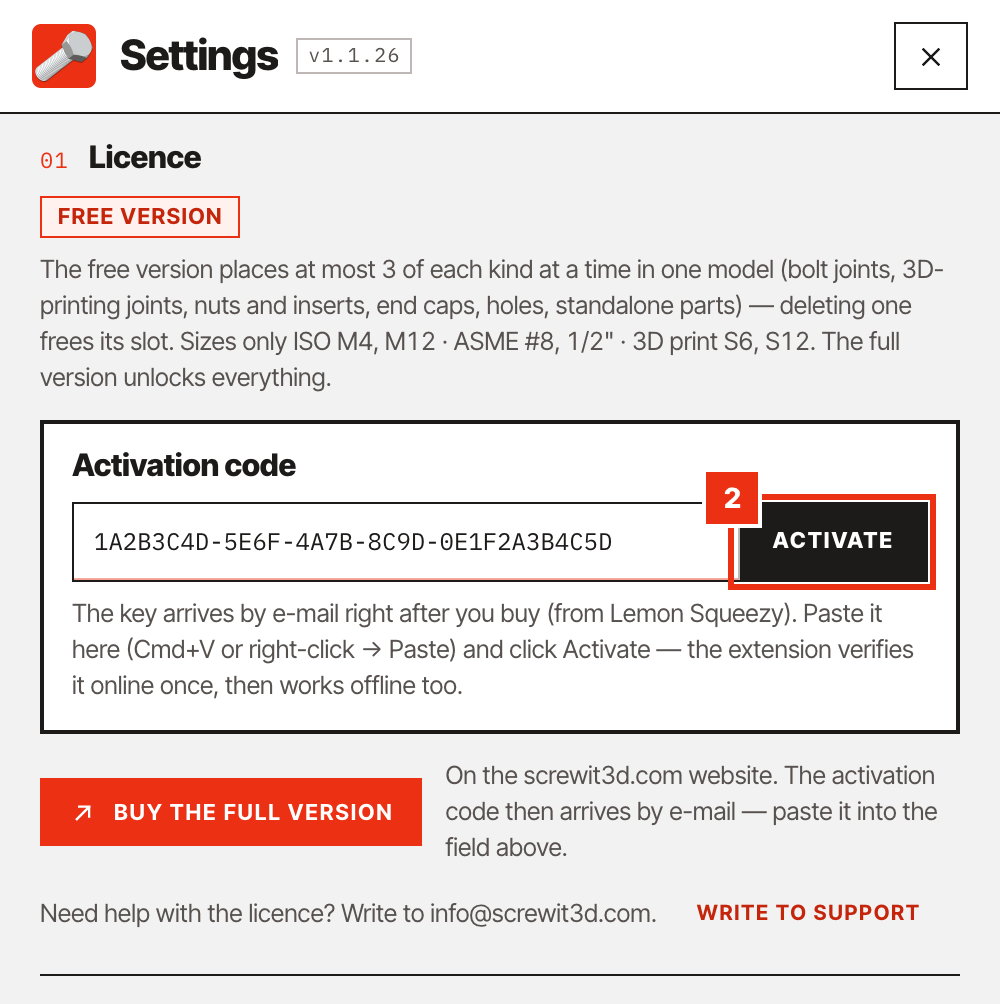
Click Activate
The extension verifies the key online with Lemon Squeezy — this is the only moment it needs the internet. It takes a second or two.
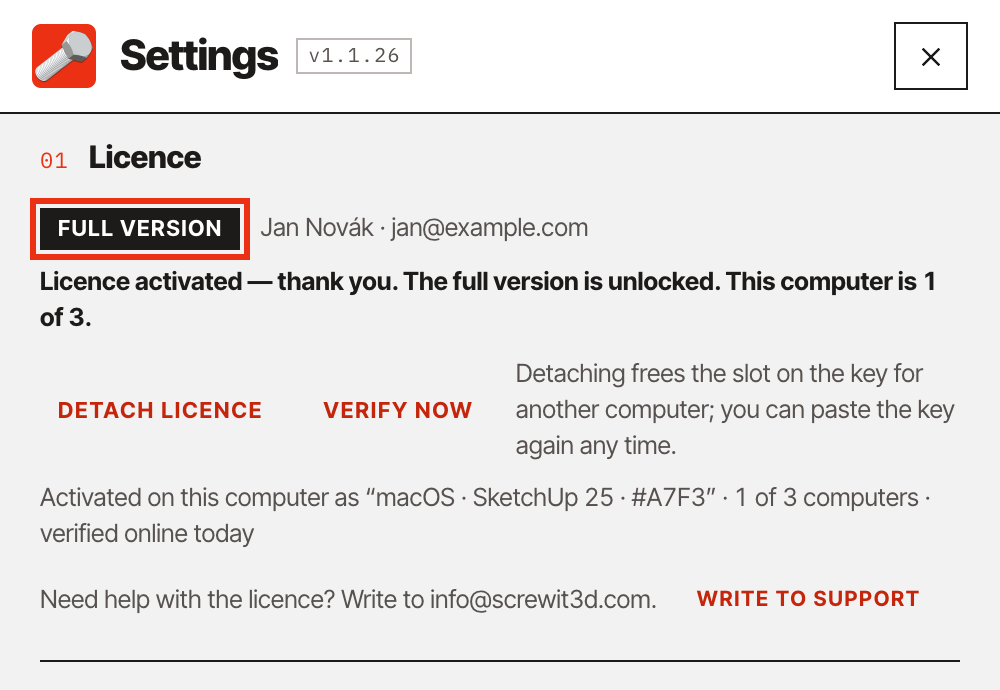
Done — Full version
Settings now show Full version and the message tells you which of your 3 computers this is. All sizes are unlocked and the limit on joints is gone — the red button disappears from the panel.
From now on the extension works offline. Once a day it quietly checks that the licence is still valid; without internet it stays valid for 30 days plus a 14-day grace period.
01Your licence
Three computers, no expiry.
Moving to another computer
One licence covers up to 3 computers — for example desktop, laptop and the workshop machine.
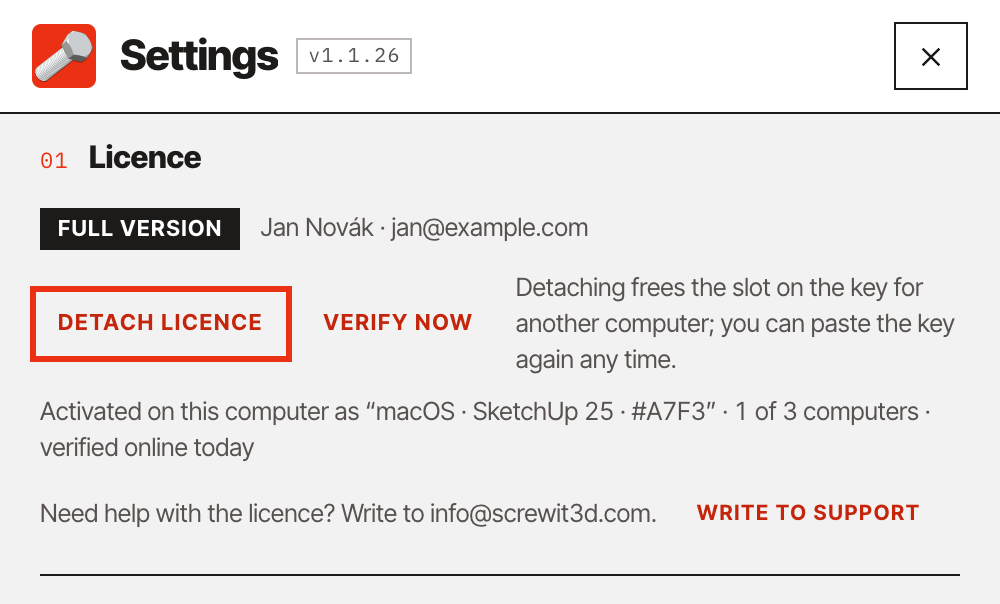
Moving to a new computer? On the old one open ⚙ Settings and click Detach licence — that frees one slot. Then activate on the new computer with the same key.
No expiry date. All 1.x updates are included.
Long without internet
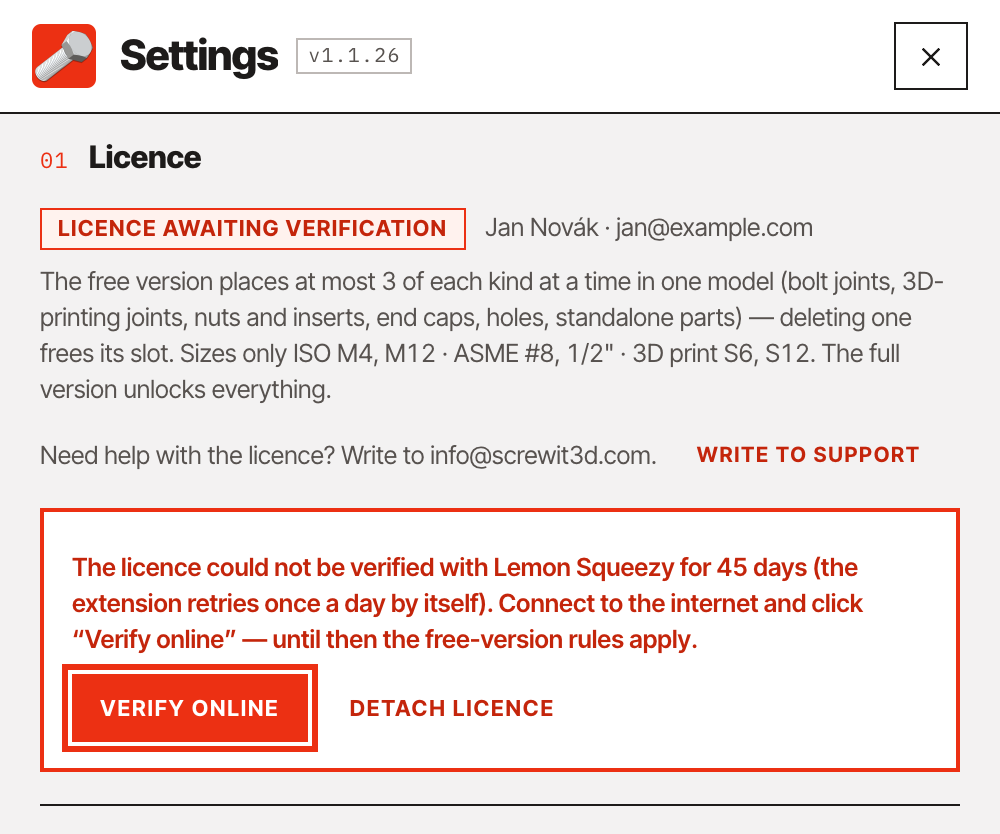
If the licence could not be checked for more than 30 + 14 days, Settings show Licence awaiting verification and the extension follows the free-version rules until then. Connect to the internet and click Verify online — the full version comes back straight away.
02If something goes wrong
Messages and what to do
- “That does not look like a licence key” / “Lemon Squeezy does not know this key” — copy the whole key from the purchase e-mail, with no spaces before or after it.
- “The key is already activated on 3 computers” — all slots are in use. Detach the licence on a computer you no longer use (⚙ Settings → Detach licence), or write to us and we will free a slot.
- “I lost my licence key” — You can always find your key at app.lemonsqueezy.com/my-orders — enter the e-mail you paid with, you’ll get a sign-in link and see your order and key. On a computer where the full version already runs you don’t need the key (the extension remembers it) — it’s only needed for another computer. If you no longer have access to the purchase e-mail, write to us with the order number or your name and purchase date; we send keys only to the order e-mail, to another address only after verification.
- “Could not reach Lemon Squeezy” — activation needs the internet once. Check the connection and try again; on a machine with no access at all, write to us.
- The panel looks different from the manual — SketchUp loads extensions only at start-up. Close SketchUp completely and open it again after an update.